Getting Started
🏰 What Is UO Outlands?
Ultima Online: Outlands is a completely free, fan-run private server for Ultima Online — the 1997 MMORPG that invented or popularised many conventions modern games take for granted: persistent worlds, player housing, skill-based progression, a fully player-driven economy, and full-loot PvP. Outlands launched in 2019 and has grown into one of the most populated and most respected UO shards in the world, consistently maintaining thousands of active players.
Play for free: uooutlands.com
Why Outlands Is Different
Most private UO servers are attempts to recreate the "classic" experience of a specific era. Outlands is something else entirely — a new game built on UO's engine and philosophy, with a custom world, custom content, and years of original development on top of the original systems.
- Completely free to play — zero cost, zero subscriptions, zero pay-to-win
- Custom world — the continent of Avadon, built entirely from scratch with unique dungeons, cities, and wilderness
- No classes, no levels — your character is defined entirely by the skills you choose to train
- Full loot PvP — outside guarded towns, death means everything in your backpack can be looted by your killer
- Player-driven economy — every sword, every suit of armour, every potion comes from a player crafter
- Deep skill system — 700 total skill points across dozens of skills, each trainable to 100 (and beyond with Power Scrolls)
- Active development — the Outlands team releases regular updates, balance patches, seasonal events, and new content
- Enormous depth — a template you think you understand will reveal layers you didn't expect for months
Why UO Still Matters
Ultima Online came out in 1997. It's older than many of the people playing it. And yet it does things that no modern MMO does:
- Meaningful consequence — your actions have real weight. Lose a fight and you genuinely lose things. Kill an innocent player and your character becomes a murderer, hunted by guards and other players.
- True sandbox — the game does not tell you what to do. You define your own goals, build your own character, find your own path.
- Community necessity — you genuinely need other players. Crafters need fighters to bring them materials. Tamers need bards to pacify creatures. Traders need roads that guilds make safe.
- No hand-holding — the game trusts you to figure things out. It will absolutely let you make every mistake in the book.
📜 The Lore — History of Avadon

Understanding the world makes Outlands richer. This is the story of where you are and why it matters.
The Ancient World
Avadon is the name of the world — a continent of mountains, forests, swamps, and dungeons. In the age before recorded history, the continent was shaped by powerful magical forces and inhabited by creatures of immense power. The eight great dungeons of Avadon are remnants of this age — places where ancient evils were imprisoned, forgotten, or simply left to fester.
The Virtues — Honesty, Compassion, Valour, Justice, Sacrifice, Honour, Spirituality, Humility — are the philosophical pillars that the human civilisation of Avadon was built around. The eight cities of the main world each correspond to a virtue. This isn't mere decoration — the Virtue system has mechanical implications for your character's Fame and Karma.
The Cities & Their Histories
Prevalia — The capital of Avadon and the seat of Imperial power. Built on white cliffs above a canal district, Prevalia is divided into Upper and Lower districts. Upper Prevalia is the domain of nobility, scholars, artists, and bards. Lower Prevalia, carved through marshes and waterways, grew from the ancient port trade. The city's famous Arcane Alley has been the centre of magical knowledge since the Empire's founding. The Bazaar near the docks is the primary market hub of the world — if it can be bought or sold, it passes through Prevalia. The city's Society Hall connects adventurers with work.
Andaria — Avadon's northern kingdom, settled between polar ice caps. Andaria is known for its exceptional stonework and military traditions — its architecture is massive, cold, and built to last centuries. The Mage's Guild of Andaria is among the most prestigious institutions of learning in the realm. The cold climate makes farming difficult, but the people are resilient and productive. Andaria and Prevalia have historically competed for dominance of the northern trade routes.
Cambria — A desert city in the southwest, founded "in the spirit of the old traditions of honour." Cambria has deep warrior culture — the Fighter's Guild and Warrior's Guild both established early roots here, and mercenary companies are woven into the city's identity. The nearby volcano Inferno erupted in 607 AC and flooded a large portion of the city, which remains underwater to this day. Cambria endures nonetheless, and its fighting traditions remain unbroken. The Ossuary dungeon lies west of the city.
Corpse Creek — Not a city so much as a lawless settlement in the far northwest. Established around a creek by the mercenary captain Landau in 561 AC, it has grown into a haven for criminals, outcasts, and those fleeing justice from the three kingdoms. Its black market is the best-stocked in the world for things that cannot be sold elsewhere. If you need something illegal or simply do not want to be found, Corpse Creek is where you go.
Horseshoe Bay — A coastal settlement built around a natural harbour. Fishing and maritime trade are its lifeblood. The bay provides shelter from the open ocean, and the town has grown into a significant waypoint for sea traders moving between regions.
Anchor's Rest — A southern port town, quieter than Prevalia's docks but strategically positioned for access to the southern seas and island chains. Sailors and fishermen make up much of its population.
Outpost — A frontier settlement on the northern coast, historically a satellite of Andaria. Small but resilient, it serves as the northernmost safe haven for adventurers pushing into the cold wilderness.
Terran — An inland settlement that has grown as a crossroads between the major kingdoms, serving travellers and traders moving through the central regions of Avadon.
The Dungeons' Origins
Each of Avadon's dungeons has a history that explains the horrors within:
Aegis Keep — Once a fortress held by a powerful blood cult. The keep fell when the cult's rituals drew something ancient and hungry into the structure. The blood creatures within are not the same as what the cultists summoned — they are what the summoning became.
Cavernam — Deep glacier caverns in the far north. Legends describe a civilisation that built here before the ice came — or before they called the ice. The frost and ice creatures that inhabit Cavernam are the remnants of something that should have died with them.
Darkmire Temple — A druidic temple built in the deep swamp, abandoned when its practitioners' connection to nature grew into something they could no longer control. The giant spiders and corrupted spirits within are what the temple's wards once held back.
Inferno — A volcano dungeon near Cambria. The volcanic network beneath was carved out by fire-worshipping cultists who believed the heat was holy. The eruption of 607 AC that flooded Cambria originated here. The Infernal Knights still guard the deepest chambers.
Kraul Hive — An insect hive of massive scale, carved into the earth over centuries by the Kraul — a species of giant insectoids native to Avadon. The Hivemother commands thousands of drones. They do not negotiate.
Mausoleum — The precise origin is unknown. The Mausoleum has been there longer than any written record. Whatever is sealed within its walls, the inscription above the entrance warns that only the virtuous should enter — and even they should not expect to leave unchanged.
Mount Petram — A colossal cavern beneath a mountain, home to the Terathan — spider-like humanoids of great intelligence and greater hostility. Gem elementals and earth creatures share the deep levels. The Terathan Goliath waits in the lowest chamber.
Nusero — An island dungeon, accessible by sea. The island's interior is a network of caverns populated by dragons, wyrms, and the Ophidian — serpent-folk who claim the island as sacred ground. The depths hold the ghostly remains of dragonknights who tried and failed to clear it centuries ago.
Ossuary — In the desert west of Cambria, the ruins of a sandstone township mark the entrance. Below lies a tomb complex of enormous scale — skeletal dragons, liches, mummies, and necromancers all serve the Forgotten King, who has ruled these halls long after death should have claimed him.
Pulma — A dam structure built between Prevalia and Andaria. The dam was a feat of engineering — until the builders dug too deep and flooded what they found. The Ancient Drowned Dragon in the lowest chamber predates the dam by centuries. The water never drained.
Shadowspire Cathedral — A gothic cathedral of immense size, rumoured to contain recreations of places lost to history within its rooms. Spectral knights and priests patrol halls that seem larger on the inside than the outside. The origin of the Cathedral itself is disputed — some claim it was built; others say it simply appeared.
Tidal Tomb — An underwater dungeon in the Wildlands. Those who dive below the surface find drowned buccaneers and strange Zoa creatures. The oxygen runs out. Recovery dolphins station themselves at key points to extend your dive. What lies deepest in the Tidal Tomb has never been fully documented.
🚪 Getting Started
Installation
- Go to uooutlands.com and download the Outlands installer
- The client installs automatically — no original Ultima Online purchase or licence is required
- Create a free account on the website
- Launch the client, log in, and create your character
- Choose a name you'll be happy with — it defines your reputation on the shard
Creating Your Character
Character creation presents a name field and a starting template. Don't stress the template — it only gives you a small head start in a few skills. Everything can be changed after creation by adjusting skill locks.
Recommended starting templates by goal:
| Goal | Best Starting Template | Why |
|---|---|---|
| Melee combat | Warrior | Starts with Swordsmanship and Tactics |
| Magic | Mage | Starts with Magery and Evaluate Intelligence |
| Ranged | Archer | Starts with Archery and Tactics |
| Pets | Tamer | Starts with Animal Taming and Animal Lore |
| Crafting | Crafter | Starts with Blacksmithy or Tailoring |
| Stealth/Rogue | Rogue | Starts with Hiding and Stealth |
Your First Hour
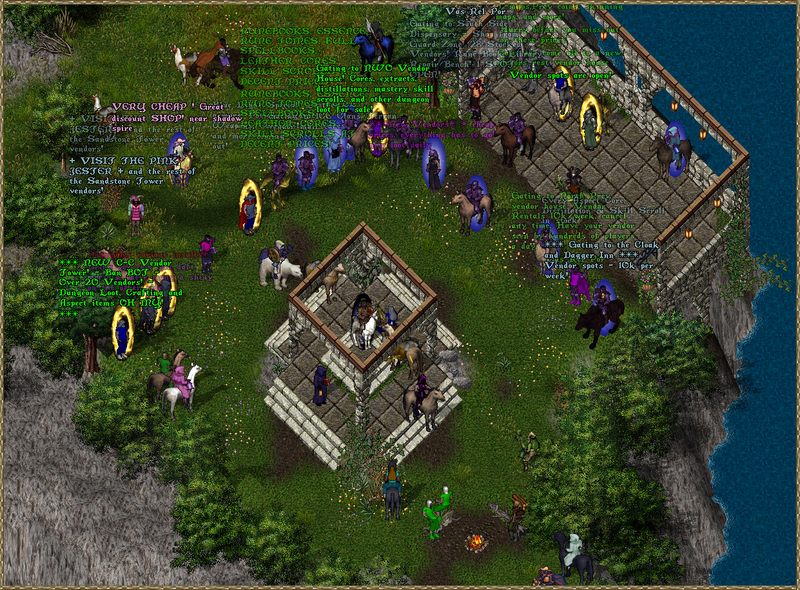
The game drops you on Shelter Island — a safe starter zone. New characters have Young Player status for their first 48 hours, which protects them from PvP and most monster aggression. Take your time here — it's the only safe space. Here is exactly what to do:
- Talk to the New Player Guide NPC on Shelter Island — they give you starter equipment, explain the basics, and point you toward the starter quest chain, gold, and a brief explanation of the basics
- Open your Skills window with
Alt+Sor by clicking the Skills button on your paperdoll - Understand the skill locks — every skill has an up arrow, down arrow, or lock. Skills set to up (↑) will gain when used. Skills set to down (↓) will lose. This is the most important mechanic to understand immediately.
- Find the training dummies near the fighter's guild in Britain — attack them to begin training your weapon skill to 30 for free
- Read the paper in your starting backpack — it contains a short quest chain with rewards worth completing
- Visit the bank — type
[bankwhile standing next to the bank NPC to access your bank box. Deposit everything you don't immediately need. - Buy reagents if you're a mage — the Mage shop in Britain sells all reagents
Essential Early Purchases
From Britain shops and player vendors, prioritise:
- Bandages — a stack of 50–100. You will use them constantly for healing
- Reagents (mages) — buy 100 of each basic reagent type
- A weapon — even a cheap one. Quality comes later.
- A basic armour set — leather for mages/tamers/archers, ring or chain for fighters
- A Spellbook (mages) — buy one from the Mage NPC. It starts empty; buy scrolls or scribe spells into it.
🖥️ UI & Essential Controls
The Paperdoll
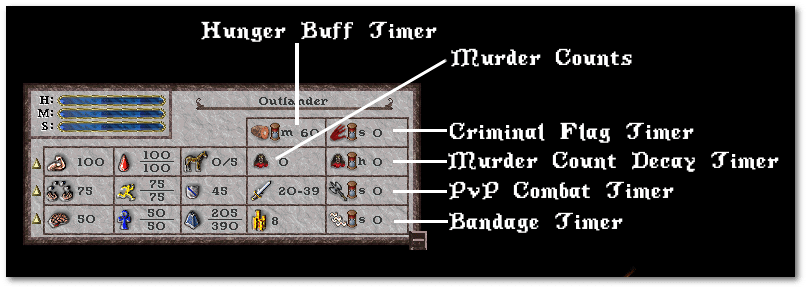
Double-click your character (or press Alt+P in most clients) to open your paperdoll — the equipment screen:
- Shows all equipped items with slots
- Displays current Strength, Dexterity, Intelligence
- Access to Skills window, Spellbook, and Backpack
- Combat Mode toggle — single click the helmet icon to enter war mode
The Backpack
Your main inventory (Alt+I or double-click backpack). Organisation matters in combat.
Recommended organisation: - Top row: Potions in separate sub-bag labelled "POTS" — quick grab in emergencies - Second row: Bandages in easily accessible spot - Sub-bag: "WEAPONS" — spare weapon, arrows, etc. - Sub-bag: "REAGENTS" (mages) — all reagents grouped - Gold: Bank it. Never carry more than you need.
The Journal
All game messages appear in the Journal window. In combat, watch for: - "You hit [target] for X damage" / "You miss [target]" - "You have been poisoned" — activate cure immediately - "You feel much better" — bandage heal completed; queue another - "Your pet has been slain" — retrieve bonded pet with Animal Lore - "[Player name] is attacking you" — check map for direction
Status Bar
The bar showing your HP, Mana, and Stamina in real time: - HP dropping fast = bandage immediately - Mana empty = stop casting; Meditate if safe - Stamina at zero = you can't run; use a Refresh Potion
📋 Essential Shortcuts & Commands

Combat Controls
| Key / Action | Effect |
|---|---|
Tab |
Toggle War Mode (enables attacking) |
| Double-click enemy in War Mode | Attack |
F1–F12 |
Macro hotkeys |
Alt + Click character |
Open their paperdoll |
Shift + Click corpse |
Attempt to open (loot) corpse |
| Double-click item | Use / equip |
Drag + drop |
Move items between containers |
Text Commands (typed in chat)
| Command | Effect |
|---|---|
[bank |
Open your bank box (must be near bank NPC) |
[help |
Open the help menu |
[stats |
Display your current stats |
[time |
Show current server time |
[props |
Display item properties (if enabled) |
[who |
List online players |
[version |
Show client version |
[afk |
Mark yourself as AFK |
Pet Commands (say in chat or macro)
| Command | Effect |
|---|---|
All follow me |
All pets follow you |
All kill |
All pets attack current target |
All stop |
All pets cease current action |
All guard me |
Pets defend; attack anything hostile near you |
All come |
Pets return to your location |
All stay |
Pets hold current position |
All release |
Release all pets (permanent — use carefully) |
[Name] follow me |
Specific named pet follows |
[Name] kill |
Specific pet attacks |
Client Settings Worth Configuring
- Sound: Turn off music, keep combat sounds on — healing ticks and hit sounds are useful audio cues
- Names above heads: Enable for all mobiles — essential for identifying player vs creature
- Corpse open on walk-over: Disable in PvP areas — you don't want to accidentally open a corpse mid-fight
- Auto-open corpses: Enable for PvM, disable for PvP-risk areas
- Status bar: Keep it visible and in an easy-to-scan position
⌨️ Macros — The Competitive Edge

Macros are the difference between surviving and dying in tough situations. Every experienced player has a full hotkey suite. Build yours before you need it.
Setting Up Macros
- Open Options (
Alt+Oor via the main menu) - Select the Macros tab
- Click New Macro, assign a hotkey
- Add actions in sequence
Essential Macros
Survival:
F1:  Use item type "Bandages" → Target Self
F2:  Use item type "Healing Potion"
F3:  Use item type "Cure Potion"
F4:  Use item type "Refresh Potion"
F5:  Use item type "Explosion Potion" → Target Last
Combat:
F6:  Last Target (attack focus)
F7:  Next Target (cycle nearby)
F8:  Primary Weapon Special
F9:  Secondary Weapon Special
F10: Cast Greater Heal → Target Self
F11: Cast Recall (mages)
F12: Arm/Disarm weapon toggle
Pet Control (Tamers):
Numpad 1: Say "All Follow Me"
Numpad 2: Say "All Kill" → Last Target
Numpad 3: Say "All Stop"
Numpad 4: Say "All Guard Me"
Numpad 5: Say "All Stay"
Quality of Life:
Alt+B:   [bank command
Alt+S:   Open Skills window
Alt+J:   Open Journal
Alt+I:   Open Backpack
Macro Timing
Some macros benefit from adding delays between actions. A potion macro with a 1.5-second delay before the next action prevents wasted potion queuing. Experiment with timing to find what feels right for your playstyle.