Play in Browser
Try it right now, no install: play BashQuest at /play. Progress saves to your browser only.
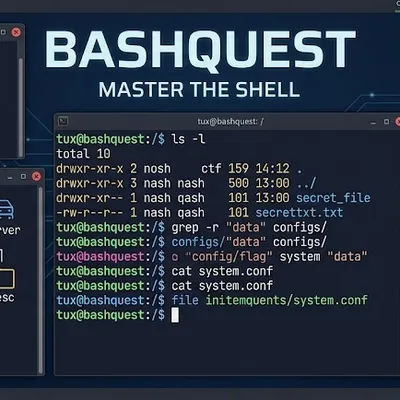
Each challenge explains how a command works and why you’d use it, not just the syntax. You create an account, log in, and work through 90 progressive levels across eighteen tiers: from basic navigation all the way to LVM, enterprise networking and SAN storage, kernel panics and building your own kernel, git, Docker, tmux, ricing your own desktop with a tiling window manager, and finally the newest generation of TUI tools.
Play in Browser
Try it right now, no install: play BashQuest at /play. Progress saves to your browser only.
90 Levels, Eighteen Tiers
From ls/pwd to LVM, enterprise networking, SAN storage, kernel builds, git, Docker, tmux, and desktop ricing. See the full breakdown.
Meet Tasmania
A mentor character reacts to every correct answer, every wrong one, every hint you take, and every streak.
Zero Dependencies
Pure Bash, no installation, no external services. Runs on Linux, macOS, and Windows (bash 3.2+, via WSL or Git Bash).
A Real Certificate
Graduate all 90 levels locally or via late.sh for a certificate that’s yours to keep. The browser version is practice only, no certificate.
curl -o bashquest.sh https://raw.githubusercontent.com/hardlygospel/bashquest/main/bashquest.shchmod +x bashquest.shbash bashquest.shNo dependencies. No installation. Pure Bash.
| Feature | Detail |
|---|---|
| 90 levels | Beginner → full sysadmin mastery, each with 4–8 challenges |
| Pseudo login | Register/login with hashed passwords, saved per user |
| Lives & XP | 3 lives, earn XP per correct answer, save progress |
| Leaderboard | Ranked across all players on the machine |
| Hints | Type hint for a clue on any challenge |
| Skip | Type skip to pass a challenge (costs 1 life) |
| Topic jump menu | Two-step level select: pick a tier, then a level within it |
| Command reference | In-game cheat sheet covering all 90 level topics |
| Colorful TUI | ANSI colour, ASCII banners, status bar |
| Cross-platform | Linux, macOS, and Windows via WSL or Git Bash (bash 3.2+) |
| Streaks & achievements | Track your best streak and earn badges for hint-free, skip-free, lives-untouched runs |
| Tier milestones | A checkpoint screen at the end of each of the eighteen tiers |
Licensed under GPL-3.0.
Copyright © 2026 Tony “Hardlygospel” Hosaroygard. Built by github.com/hardlygospel.